Frameworks
A security framework is a set of guidelines, best practices, or standards, usually codified as a number of controls.
Security frameworks are often published by government agencies or non-profit research centers. Many groups have published guidance on how to improve the security posture of a Kubernetes environment.
ARMO Platform includes collections of controls that are arranged into frameworks. These are drawn from RegoLibrary, an open source library maintained by ARMO. You can use ARMO Platform to validate running clusters and manifest files against frameworks included in RegoLibrary. By default, ARMO Platform validates against all available frameworks to verify how compliant your Kubernetes environment is with those frameworks.
Published frameworks
The most commonly referenced security frameworks are:
-
NSA-CISA Kubernetes Hardening Guide , published by the United States National Security Agency and Cybersecurity and Infrastructure Security Agency
-
CIS Benchmarks, published by the Center for Internet Security:
- CIS Kubernetes Benchmark v1.10.0 (
cis-v1.10.0) - For default/vanilla Kubernetes versions 1.30 and 1.31. Read more about CIS v1.10.0 - CIS Kubernetes Benchmark v1.23 (
cis-v1.23-t1.0.1) - For Kubernetes version 1.23 - CIS Amazon Elastic Kubernetes Service (EKS) Benchmark (
cis-eks-t1.7.0) -
CIS Azure Kubernetes Service (AKS) Benchmark (
cis-aks-t1.2.0) -
MITRE ATT&CK Threat Matrix for Kubernetes, published by MITRE and Microsoft
Using frameworks for compliance
Kubescape reports a compliance score for each control and framework. A control's compliance score is the percentage of evaluated resources that pass the control. A control with a passed status has a score of 100%. If a control has no evaluated resources and is not marked as passed, its score is 0%.
A framework's compliance score is the average of its controls' compliance scores. Higher compliance scores indicate that more checks passed. This percentage is distinct from the legacy risk score; see the compliance scoring implementation.
Custom frameworks
You can define a framework by selecting controls from the control library. Follow the Regolibrary guide to adding a framework for the framework JSON format and a working example.
View controls included in a framework
- In the sidebar, click Settings.
- Navigate to Workspace, and click Frameworks.
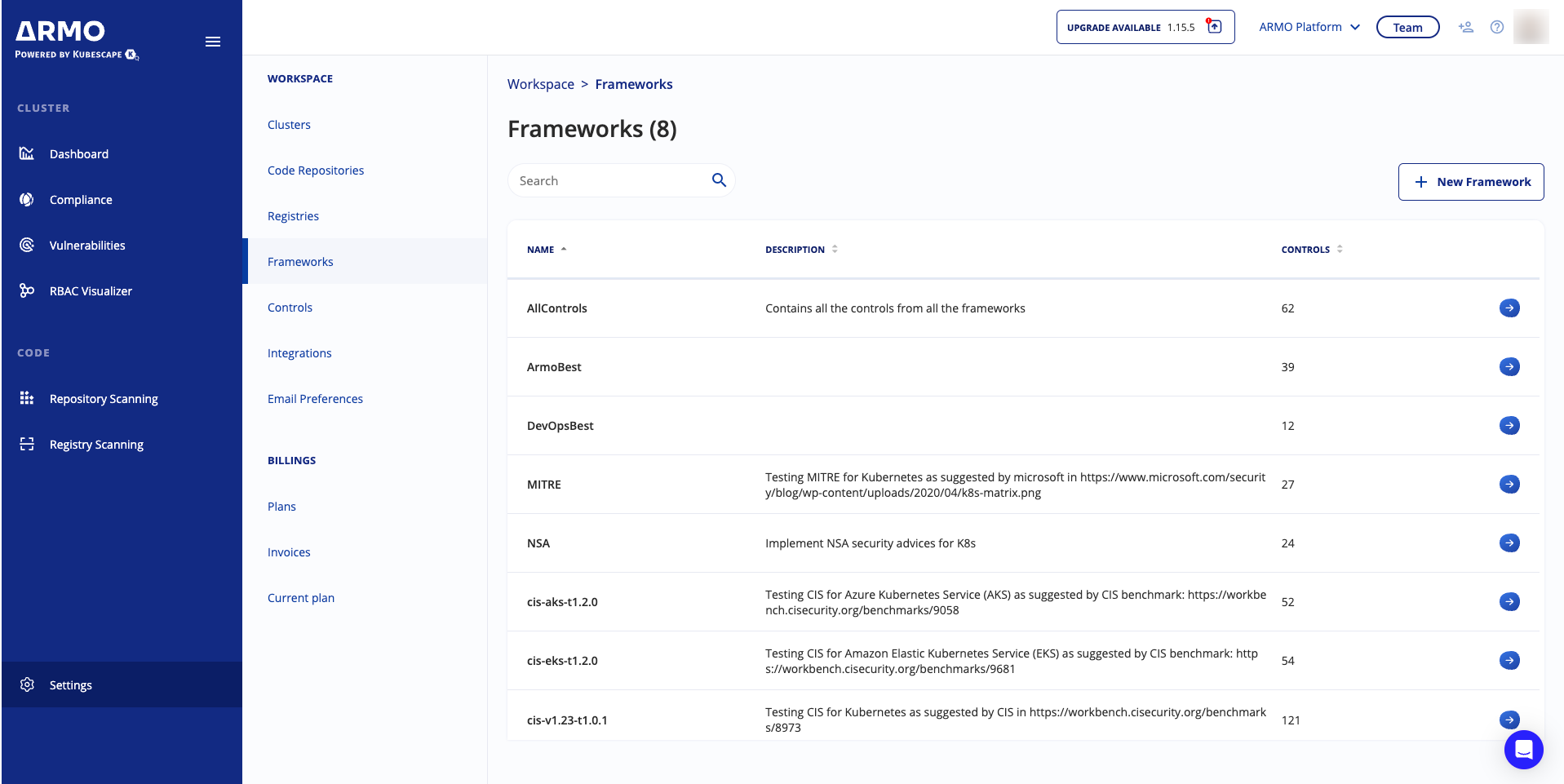
- Click the arrow next to a framework to view or add controls.
You cannot edit controls in this view. You must use the Controls page.
You can view more information about the control by clicking the Control ID.